The bigger the project gets, the usage of packages might increase and as age of project increases the versions of dependency packages also gets updated.But what are numbers beside packages, why are they numbered in such pattern? first lets learn this before going to ~,^
What is SemVer ?
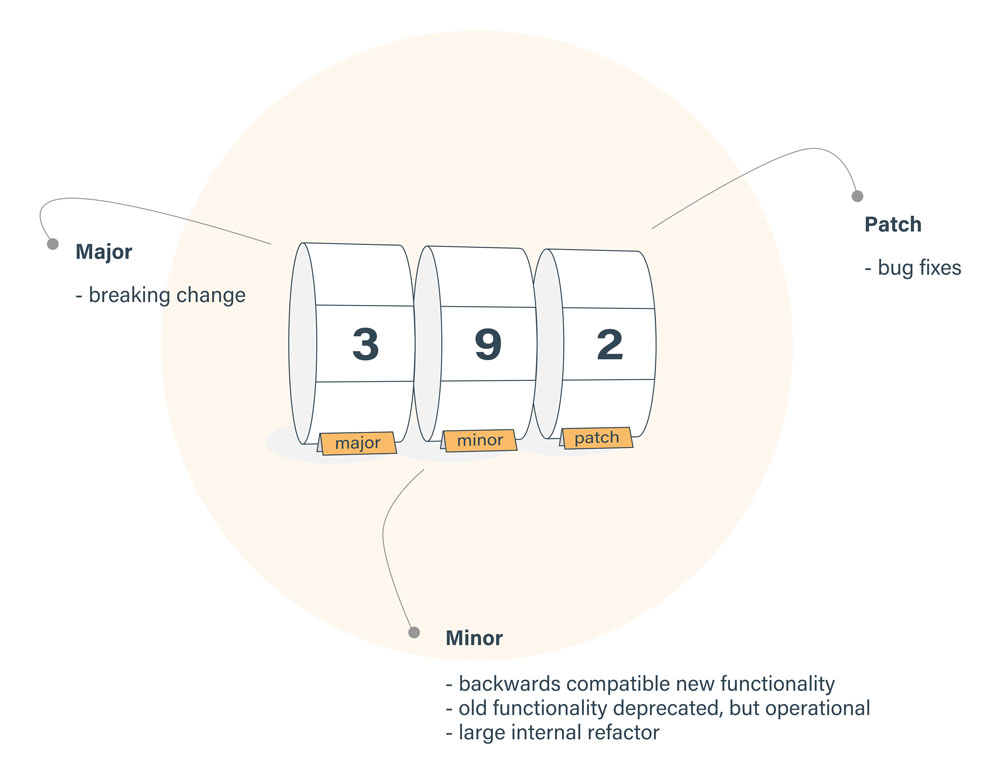
The SEMantic VERsioner for npm.For any version number, the format is MAJOR.MINOR.PATCH, and it should increment by:
MAJORversion when you make incompatible API changesMINORversion when you add functionality in a backward compatible mannerPATCHversion when you make backward compatible bug fixes
Whenever we install or view package.json for packages, we generally see three-number format, separated by dots.The syntax of the npm version looks like the following.
MAJOR.MINOR.PATCH
Ex : 1.2.1
When specifying version ranges in package.json, you have two main options: the tilde (~) and caret (^).
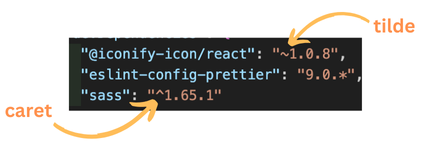
Tilde (~) :
For tilde ranges, major and minor versions must match those specified, but any patch version greater than or equal to the one specified is valid or simply for patches!
When to use it :
For getting the latest bug fixes and security patches while maintaining stability.
For libraries where stability is crucial. Example: express, react etc .
Ex : if we write ~1.2.3 , it will be between >=1.2.3-0 to <1.3.0-0
Caret (^) :
For caret ranges, only major version must match. Any minor or patch version greater than or equal to the minimum is valid or simply for both minor and patches!
When to use it :
For staying up-to-date with new features and improvements, however, we have a risk of potentially breaking changes.
For libraries where you want to benefit from new features and bug fixes. Example: Prettier.
Ex : if we write ~1.2.3 , it will be between >=1.2.3-0 to <2.0.0-0
These are fine, but What if major version is 0 or sematic versions are < 1 ?
Tilde behaves same, as it is dependant on patch version.Caret behaves different, as it is dependant on major, and major cannot go below 0
Ex: if we write ^0.0.3 , it will only permit exact version 0.0.3
Beware of Asterisk - AsteRisk = At Risk
Using an asterisk means “accept all releases”, but this is not advisable as it will accept major releases and may break our code.